




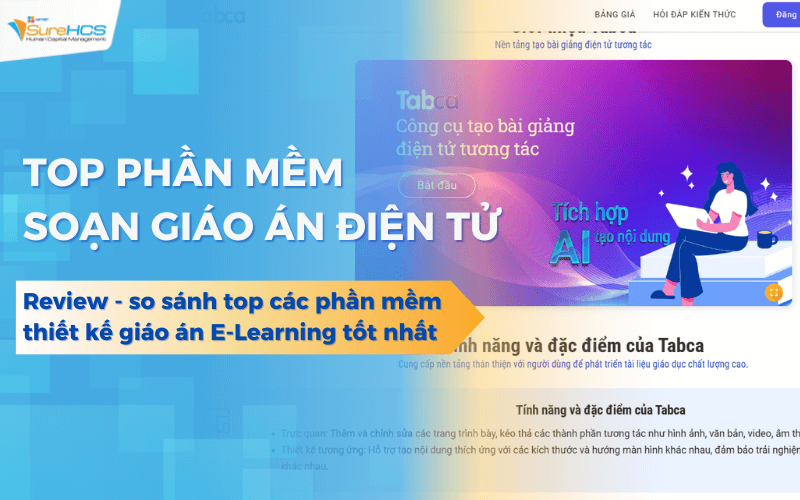
Software editor, teacher, project is support tool to build, manage, update content training in a scientific way, intuitive and time-saving. Instead of composer, teacher, craft project with the material discrete software helps to normalize the lecture content, video integration – document – test, easily deployed on the system online training.
The same Lac Viet SureHCS learn and compare in detail the software work project are the most popular today.
1. Software editor, teacher, project what is it?
Software editor, teacher, project is tools support the construction, organization management lecture content on digital platforms. Instead of having to create training materials, discrete tools, office, often, the user can use the software to design lesson plans in a structured way, easy to edit and conveniently while on deployment training.
In enterprise environments, teacher, project is not merely teaching content, but also is documented, standardized knowledge about the working process, professional skills, or product information. Therefore, the use of software that helps organizations store and manage the entire content of training in a scientific way, to avoid material is dispersed or lost.
A modern software often supports many different types of content such as:
- Slide lecture
- Video tutorial
- Reference
- Illustrations
- Assessment test
Thanks to that, the sermon becomes visually more receptive than form using only text documents. For example, in the program, staff training, sales, teacher, project can include video simulation situations to communicate with customers, accompanied by a short quiz to assess the level of understanding it.
Besides, many businesses today use the software to compose of electronic E learning to integrate directly into the system online training. This allows employees to learn at anytime and anywhere, which helps businesses easily track the learning process of each person.
2. The important feature of the software, composer, teacher, project
In operation, internal training, the construction of teacher project doesn't just stop at writing lecture content, but also related to how to organize knowledge, updated information, and measure effective learning. This is why many businesses today are turning to use the software to compose of electronic to manage the entire training content in a more professional way.
Here are the important features that businesses should be mindful of when choosing software.
2.1 design lectures intuitive drag & drop interface
One of the major barriers when implementing internal training is instructor or expert in business often don't have much experience using design tools lecture complex. If the software too difficult to use, the construction of the training content will be vulnerable to disruptions take much time.
So many software compose lesson plans, modern designed interface with drag and drop (drag and drop). This means that users only need to drag the component, such as images, video, chart, or block content in the desired location to create lecture.
For example, when building a post training on the sales process, instructors can:
- drag and drop slide main content
- insert video illustrations situation, sales
- more test questions quickly, after each learning section
The way this design helps teachers create lectures quickly without the need for technical knowledge intensive. Thanks to that, the training department can focus more on quality content instead of time-consuming processing tools.
2.2 resource library training
In many businesses, training materials, often scattered in many places such as email, Google Drive or personal computer's faculty. When you need to find back the old document to update or re-use parts of the training must take a lot of time in aggregate.
A software editor, teacher, project electronic efficiency are often integrated resource library training focus. Here is where to store the whole content service training such as:
- video lectures
- PDF document
- illustrations
- form of training
- kindergarten project standard
Thanks to the system of centralized storage, businesses can re-use material for many training programs different. For example, a video tutorial process, customer care can be used both for training new employees and training courses to raise for sales team.
The construction of a library, training content also helps business step by step form “knowledge internal”. This is the important assets that help organizations keep experience and expertise of our staff.
2.3 Integrated assessment test
A training program is only really effective when the business can assess the level of learners. If you just stop at delivering lecture content without inspection forms, it is difficult to determine the employees have to understand, apply knowledge to now.
Therefore, software, editor, teacher, project e learning often integrated assessment tools right in the lecture. Common forms include:
- multiple choice questions
- quick quiz (quiz)
- exercises situations
- practice
For example, after completing the training on the process of handling customer complaints, the system can be given a real situation to employees choose how to handle fitting. The results will be saved to parts, training, monitoring and evaluation capacity.
2.4 Standardized structure teacher training project
In many businesses, each faculty can build education project in its own way. This makes training content, lack of consistency, especially when the same topic but be taught by many different people.
One important advantages of the software editor, teacher, project is the ability to standardize the structure lecture. The system generally provides the kindergarten project to the faculty building content in a unified framework.
A teacher training project standards in business often include sections such as:
- Goal lesson
- Content knowledge privacy
- Example or real life situations (case study)
- Assessment test
This structure helps learners to track and understand the objectives of each lesson. At the same time, the training division also easy to control the quality of content before widespread deployment in the enterprise.
2.5 Management version update content lectures
In the business environment, workflow, product, or internal policies change frequently. If the training content is not updated timely, the employee may continue to apply the information that was outdated.
Software editor, teacher, project electronic enterprise version management lecture content in a systematic way. Every teacher project be edited or updated, the system will save the history of changes to the management easily track.
For example, when business change policy sales or feature updates, new product training department only need to update the content on the system. All course related will be automatically updated according to the new version.
Follow report of Deloitte on trends in human resources developmentinstitutions , systems, knowledge management and training of goods often have the ability to adapt to change faster than those businesses that still manage documents manually.
Thanks to that, the business not only saves time management, training content, but also ensure the entire staff is always access to the latest information.
3. Criteria for selecting the software to compose, teacher, project suitable for business
A good tool need help training department building content faster deployment program learn more effectively ensure knowledge is communicated consistently across the organization.
Here are the important criteria that businesses should consider when choosing the software editor, teacher, project.
3.1 the interface is easy to use for instructors internal
In many businesses, builder, teacher, project is not technology experts, which is usually the head of department, expert, professional or manager rich practical experience. If the software is too complex, they will take a lot of time learning how to use tools instead of focusing on training content.
So, a software editor, teacher, project effectiveness should be friendly interface easy to use. The operation should be simple in design, for example such as:
- create sermons by drag & drop content
- edit slide directly on the system
- insert videos, images or test questions with just few taps
When instructors can easily build lectures, business will better exploit knowledge from the staff of his. This is especially important in the training program on internal processes, sales experience or management skills.
3.2 the Ability to integrate with systems training LMS
One other important criteria when selecting software to compose electronic lesson plans is the ability to integrate with learning management system (Learning Management System – LMS).
LMS is a platform that helps businesses manage the entire training activities such as:
- allocated courses for employees
- track learning progress
- evaluate the results of training
- management certificate of completion of course
If software can not be integrated with the system, LMS, training department will have to manage content lectures, academic data on many different systems. This causes difficulty in tracking the effectiveness of training increases the workload manager.
Conversely, when the software editor, teacher, project e learning is directly connected with LMS, businesses can deploy a process of training self-contained. Lecture content after it is built will be put directly into the system of training, employees can access learning and learning outcomes will be stored automatically.
3.3 Support for diverse format lecture
A training program effectiveness should not be only based on text or slides. Students often acquire knowledge better when content is presented diverse visual.
So, businesses should prioritize the software project has the ability to support a variety of different content forms, such as:
- video tutorial
- illustrations
- presentation slide
- PDF document
- interactive quiz
For example, in the training program, sales skills, business can use video simulation situations to communicate with customers. Then, staff will do the test situation to choose the suitable disposal. How this course help learners to apply knowledge in practical work.
3.4 Managing content updates flexibility
In the business environment, work processes, products, or internal policies are subject to change quite often. If the training content is not updated timely, the employee will continue to apply the information was outdated, since it affects the quality of work.
A software to compose of electronic good, need to allow enterprises to easily edit content updates lectures. When there is change, training department, just need to update on the system and the entire related lectures will be synchronized immediately.
For example, when a business update process, sales or new product launches, teacher training project can be edited or re-deploying to the entire sales team in short time.
3.5 Support deployment training online
Trends online training is becoming increasingly popular in business, especially when the organization has many branches, or a team of personnel working in many different locations. In this context, software design, teacher, project e learning need good support deployment training online.
Specifically, the system should allow for:
- publishing lecture up foundation online training
- allows employees to learn anytime, anywhere.
- track learning progress, the results of training
This helps enterprises to reduce significantly the cost of organizing class directly as travel costs, venue hire or to schedule a training.
When choosing the right software, composer, teacher, project, business not only built the content system of professional training but also can deploy the program to develop human resources in a flexible manner, effective and sustainable in the long term.
4. Suggestion top 10 software composer, teacher, project popular today
Here are a number of software composer, teacher, project e learning is in common use today. Each tool has own distinct advantages and in accordance with the training needs of different businesses.
4.1 Tabca – software to compose electronic lesson plans of Vietnam
Tabca is the foundation design lectures electronics company shares Information included with the application. This tool is support teachers, trainers and training institutions, content builder, modern learning through lectures, visual, interactive, and can be deployed on many different devices.
Others with the tools slideshows typically, Tabca is designed as a system support development of material number. Users can create lectures, electronic, share resources, training, warehouse construction materials serve for active teaching and learning in the environment of.
For enterprise organizations are implementing internal training, Tabca can be viewed as a software editor, teacher, project e learning help standardize training content, support convert numbers in active development resources.
Create sermons, intuitive interaction
One of the highlights of Tabca is the ability to build interactive lectures. Instead of just presenting the content in the form of text or slides static, the software allows users to combine many different types of content, such as images, videos, multiple choice questions and interactive activities.
This helps lectures become more receptive for students. For example, in the training program's internal corporate training department can design the short lessons, combining video tutorials and test questions quickly to help employees understand the work process.
According to many studies about online training, learning content, interactive help learners focus more to remember knowledge better than forms convey an afternoon.
Build and share learning repository data number
A key benefit of the software to compose of electronic is capable of warehouse construction, materials focus. With Tabca, users can host lectures, study material and training resources in a common system.
This helps the organization:
- easy reusable training content
- share documents for many different instructors
- library building knowledge internal
For example, a business can build shed lecture about the working process, training, sales skills, or training for new employees. When new staff joined the hr department, just give access to the corresponding lesson.
This approach help businesses significantly reduce the time to prepare training materials for each course.
Support deployment flexibility training on multiple devices
Tabca is designed to support learning content can be displayed on many different devices such as computer, tablet, or phone. This is especially important in the context of many organizations are turning to the model, flexibility training or online training.
Employees can access lectures anytime, anywhere to help the learning becomes more convenient, is not limited by time or place.
For enterprises with many branches, or a team of dispersion, the use of software to compose, teacher, project e-learning as Tabca help implement the training program, synchronized across the system without class organization directly.
In the context of convert numbers are going strong in the field of education and training, business tools such as Tabca plays an important role in helping organizations build learning environments modern, flexible, have the ability to expand in the future.
4.2 iSpring Suite
iSpring Suite is one of the software to compose of electronic are many training institutions and business choice thanks to its ability to integrate directly with PowerPoint. This can help users build lectures, e-learning right on the familiar platform without the need to re-learn a completely new tool.
With iSpring Suite, businesses can convert the PowerPoint slides of lectures online, and add more interactive elements, such as:
- multiple choice questions
- video lectures
- simulation situations
- assessment test
The strong point of this tool is to help the lecturer or specialist internal back use of the training materials available to build online learning program. This is especially useful for businesses that have multiple slides in training but not yet have e-learning system.
For example, a retail business can use the slide product training to build online courses for sales personnel across the country. Thanks to that, the training content is implemented, saving considerable time organizing the classroom directly.
The tools such as iSpring Suite plays an important role in helping businesses quickly switch training content to form numbers.
4.3 Articulate Storyline
Articulate Storyline is a software editor, teacher, project e learning stand out with the ability to build interactive lecture high. This tool allows the designer to create variety of content learning activities such as simulation, situation, scenario or interactive learning games.
The strong point of Articulate Storyline is the ability to design, the lectures bring to experience. For example, in the program, skills training, customer care, learners can participate in situations and choose how to handle fitting. The system will respond immediately to help learners understand the right plan.
This approach helps employees not only to acquire theoretical knowledge, but also hone your ability to make decisions in real-world situations.
Articulate Storyline is often used in programs of intensive training, such as skills training, management training, sales training or professional.
4.4 Adobe Captivate
Adobe Captivate is a powerful tool in the field of design, content, e-learning, in particular in accordance with the training program has elements simulation software or workflow.
With Adobe Captivate, business can create lectures simulation operation on system software help students to understand each step to perform work. For example, in the training program use system, ERP, or CRM, learners can practice direct manipulation on lectures, simulation before working on the actual system.
This helps to significantly reduce the time direct instructions from the IT department or management, and help new employees get acquainted with the work faster.
In addition, Adobe Captivate also supports design lectures suitable with many different devices such as pc, tablets and phones. This helps businesses deploy training more flexible, especially with the team work outside the office such as sales staff or technical staff.
4.5 ActivePresenter
ActivePresenter is a software to compose electronic lesson plans developed by a team of engineers in Vietnam by atomi Systems. This tool is many training institutions and business options thanks to the ability to combine multiple functions in one platform, including drafting lectures, screen recording, video editing.
For businesses that are building systems, internal training, ActivePresenter is especially useful when need to create the sermon guide to manipulation software or workflow. For example, the training department can get back to the screen when performing the operation on the system, CRM or ERP, then edit the video and insert captions to form visual lectures for new employees.
Thanks to features record screen, edit video right in the software, enterprises do not need to use more different tools to complete the training content. This helps to significantly reduce the production time lectures and optimal deployment costs.
In addition, ActivePresenter also supports the creation of interactive quiz and published lectures in many standard e-learning as popular as SCORM or xAPI. These standards help to lecture content can easily be integrated with learning management system (LMS), from it support business development program online training more effective.
4.6 Avina Authoring Tools
Avina Authoring Tools are software due to business development in Vietnam, designed with the goal to help users easily build online lecture without much technical knowledge.
The highlight of this tool is user-friendly interface and processes compose simple. Users can quickly create lectures electronics by combining many different types of content, such as slides, images, video, or test questions. Thanks to that, lecturers or experts can build training content quickly.
Although Avina Authoring Tools are commonly used in educational institutions from kindergarten to university, this tool is also aligned with the business when implementing the training program basic skills training, integration, or training services.
For example, a business can use the software to compose lesson plans in order to build the short lessons about business culture, work processes or internal regulations. New employees only need access to the system to study and complete the test before start official work.
With the standardization of training content in the form of lectures, electronic business, ensure that all employees have access to the same information source the correct consistency.
4.7 Lecture Maker
Lecture Maker is a software editor, teacher, project lightweight but have the ability to combine many different types of content in a lecture. This tool allows users to integrate multiple file formats like PDF, videos, images, or other multimedia content, other in the same lecture.
Thanks to the ability to integrate diverse content formats, Lecture Maker in accordance with the training program needs to use multiple reference different. For example, in a training course about skills project management, lectures can be combined:
- slide presentation main content
- PDF documents detailed instructions
- the video illustrates real-life situations
Combining multiple content formats to help lectures become more vivid, more understandable than using only text or slide mere.
For businesses, a construction software training content diversity will contribute to enhance the learning experience of employees. When the content is presented clearly, intuitive learners often acquire knowledge more quickly, easy to apply in practical work.
The choice of a suitable software not only helps business, content builder, professional training, but also contribute to improving the efficiency of human resource development in the long term.
4.8 Violet
Violet is a software to compose of electronic “pure Vietnamese” is quite familiar to many teachers and training institutions in Vietnam. Highlights of Violet, located in the library of rich data, including multiple photos, videos, simulations, and the model interactive exercises designed available under the program of popular education.
With respect to the training organization or business is building the system internal training warehouse, this resource brings very real benefits. Instead of having to search design, the entire content from the beginning, the construction of lesson plans can take advantage of the resources available to create lecture more quickly.
For example, when building training program on communication skills or sales skills, teachers can use the images, illustrations, situation simulation or exercises quizzes are available to help lectures more lively. This not only helps save prep time but also help the training content more accessible for students.
Another advantage of the software to compose of electronic Violet's interface is designed in accordance with Vietnamese people, help people who have not had much experience technology can still quickly get acquainted with tools.
In context, many businesses are turning to online training, the use of the software with a library of rich content help parts construction training program study more efficiently without investing too many resources initially.
4.9 Canva
Canva originally known as a tool of graphic design online, but in recent years, this platform has become one of the tools that support the construction of visual lectures are many training institutions and business use.
Highlights of Canva's templates design (template) is very diverse, beautiful eyes. The user can choose templates presentation dedicated to education or training, then edit the content according to his needs. This helps the construction of teacher project becomes more quickly, especially for those who do not have much design experience.
In addition, Canva is also integrated tools, artificial intelligence support content creation from text. For example, the user can enter a segment content short and the system will hint layout presentation or illustrations appropriate. Thanks to that, the construction of teacher project or lectures, training becomes more convenient.
In an enterprise environment, Canva can be used as a software to compose of electronic simple for the training program short term, such as:
- soft skill training
- training new employees
- cultural training business
After finishing the content, the lecture can be published as a slide show, documentary, or video to share for learners.
Thanks to the ability to design fast, presenting visual content, Canva is becoming a popular choice for those organizations that want to build lectures, e-learning in a flexible way.
4.10 PowerPoint
PowerPoint is familiar tools almost used most commonly in the construction of lectures and training materials. Although software is not specialized, but when used properly and in conjunction with supporting tools, PowerPoint is still one of the solution composer of electronic, flexible, efficient.
Most of the faculty, specialist training or management in business are already familiar with how to use PowerPoint. This helps the construction of lectures become more convenient since you don't need time re-training tool.
In addition to creating slide content presentation, PowerPoint also allows users to:
- insert videos illustration
- add photo or chart visual
- design training content according to the step by step logic
When combined with the add-in or software to support e-learning as iSpring or tools to publish SCORM, PowerPoint can become a software editor, teacher, project e learning complete, allow the live lectures on system online training.
For example, a business can use PowerPoint to build lectures, training new products, then convert the content into online courses to sales staff across the country can access and learning.
Thanks to the familiarity, flexibility and the ability to integrate with many other tools, PowerPoint is still considered one of the basic platform but effective in the construction of lesson plans and training content in many organizations today.
5. Vietnam E-Learning – Solution manager online training
Vietnam E-Learning is the solution online training was developed to support organizations and business in Vietnam construction system internal training all the way, easy to deploy.
Not only play the role system is a learning management platform is also support business building training content through tools compose sermons and church management project. Thanks to that, the training department can build education project, deployment, course, track training results on the same system.
LAC VIET E-LEARNING – SOLUTIONS, PERSONNEL TRAINING, INTERNAL BUSINESS PERFORMANCE MEASUREMENT
Lac Viet E-learning is the trusted choice of many large corporations such as FrieslandCampina, PV GAS, Shinhan Bank... with more than 100,000 users across the system.
LV E-Learning is not just a training system online, which is the platform that helps businesses build human capacity in a sustainable way. The solution is designed to solve the fulness of the problem: training – measurement – develop – retain talent in the work environment is great.
- Difference of LV E-Learning lies in the ability to combine flexibility between technology, learning experience and management training. Businesses can deploy according to the SaaS model or on-premise, easy to integrate with existing systems
- In compliance with the international standards such as SCORM, OpenBadges, ensuring standardized and scalable long term.
- Don't stop at the “bringing material up system,” LV E-Learning create learning environments multimodal: online class, learning materials, multimedia, forum for exchange of knowledge, exam – assessment – certificate automatically.
- The entire learning process of the employees are tracking, analysis, reporting in real time, to help businesses accurately assess the effectiveness of training and the level of capacity development.
- Modern interface, high security, automation, deep, ability to analyze training data to help businesses optimize the cost of training, improve work productivity, increase employee engagement.
SEE DETAILS MANAGEMENT FEATURES TRAINING LV E-LEARNING AT HERE
Ready to elevate effective internal training in your business?  Contact us Lac Viet today for advice model implementing E-Learning in accordance with the scale, industry and development goals of the business.
With version Cloud, LV E-learning can deploy fast in 7 daysno need to invest in infrastructure, high security and are willing to expand to tens of thousands of users.
SIGN UP TO RECEIVE DEMO NOW
CONTACT INFORMATION:
- Hotline: 0901 555 063
- Email: [email protected] | Website: https://www.surehcs.com/
- Office address: 23 Nguyen Thi Huynh, Phu Nhuan, ho chi minh CITY.CITY
Not only support the construction of lectures, tools, editor, teacher, modern project also helps business step by step form learning repository data number. This foundation is important to store knowledge, internal standardized training procedures shorten the training time for new employees.
Not only support the construction of lectures, tools, editor, teacher, modern project also helps business step by step form learning repository data number. This foundation is important to store knowledge, internal standardized training procedures and shorten the training time for new employees.






![Mẫu đánh giá thử việc chuẩn nhất 2025 [Tải miễn phí, dễ tùy chỉnh]](https://www.surehcs.com/wp-content/uploads/2025/07/mau-danh-gia-thu-viec-chuyen-nghiep.png)