




Excel File manager allows year is a popular tool to help businesses track-day leave of employees, calculate the number of days allowed to rest assure compliance with provisions of labor. Thanks for using Excel with formula auto parts personnel can manage for accuracy, transparency and limit errors when synthetic data.
The same Lac Viet SureHCS learn in detail about file management multiplication in this article and download the standard template for business.
1. Management allowed year in business, what is?
1.1 Allowed what is the year?
Annual leave (Annual Leave) is the number of days of paid holidays to which the employee is allowed to use in a year working under the provisions of law and internal policies of the business. During this period, employees continue to be paid as a normal working day, so the record the exact number of days of holiday is very important factor for work, timekeeping, and payroll.
Management allowed the year is process monitor, control and record the number of days of leave of employees throughout the working year. This work is often due to the personnel department in charge, including such tasks as:
- Specify the number of days allowed that every employee is entitled to
- Track the number of days allowed've used
- Calculate the number of days allowed to rest
- Control holiday schedule to ensure the operation of the business without interruption
In fact, many small and medium enterprises often use the panel track allow the year by Excel or Excel file manager allows years to manage this data. Excel File often consists of the basic information such as employee code, name, room, board, number of days which year are entitled, the number of days has to stay and number of days allowed to rest.
For the enterprises that have not deployed system, hr software, Excel file manager allows year is the tool, simple but quite effective to manage allowed at the initial stage. However, when the scale of personnel increased, the update data on Excel can become complex and arise flaws if no process strictly controlled.
1.2 Regulations enables year, according to the labor law of Vietnam
The management allowed year in business need to comply with the provisions of the labor law in order to ensure rights for workers, and limited the dispute arises.
Follow Article 113 of The Labour code 2019workers work full 12 months for an employer will be entitled to the number of days of annual leave as follows:
- 12 working days per year for work in normal condition
- 14 working days per year for minor employees, workers are disabled or do heavy work, toxic
- 16 working days per year for special work, heavy, hazardous or dangerous
In addition, workers also be increased by the date allowed by work seniority. Every 5 years working for the same business, then the number of days of annual leave will be plus 1 day.
In fact personnel administration, keeping track of factors such as seniority, day at work or the number of days allowed under internal regulations can cause data to become more complex. So many businesses set the panel track allow the year by Excel to automatically calculate the number of days allowed to enjoy and update each year of employment of the employee.
This helps the hr department to ensure the management is always right regulatory law, at the same time transparent when employees need to lookup information rights take his leave.
2. Standard structure of the Excel file manager allows year
In many small and medium businesses, hr departments often use Excel file manager allows years to track the status of leave of employees. However, if the file structure is not reasonable design, data is very easy to be tangled, difficult synthesis report or arisen errors while calculating a paycheck.
So, when building panel track allow the year by Excel, business should design the market, clear data, easy to update and can automatically calculated. An Excel file standards usually include the team important information below.
2.1 employee information
This is the group basic data to help identify each employee in the system. If there is not sufficient information, the collated data leave with attendance or payroll will be very difficult to implement.
The school of information should be included:
- Employee code
- Name
- Departments or working parts
- Day job in company
In that code, the employee role is especially important. This is a unique identifier helping businesses avoid confusion between employees who have the same name.
For example:
| Code NV | Name | Departments | Day at work |
| NV001 | Nguyen Van A | Business | 01/03/2022 |
The full archive employee information in the panel track allow the year to help HR easily filter data according to departments, according to the working time or according to the hr team. This is especially useful when businesses need reports, personnel periodically.
2.2 the Number of days allowed year enjoy
After identifying employee information, the next step in the Excel file manager allows year is determining the number of days allowed that every employee is entitled during the year.
In accordance with Article 113 of The Labour code 2019, workers work full 12 months will be a sabbatical year as follows:
- 12 days for working conditions normal
- 14 days for heavy work or labor, juvenile
- 16 days for work, special heavy
In addition to legal regulations, many businesses also add the permission types, such as:
- Allows seniority (additional day allowed according to the number of years of work)
- Lets reward according to welfare policies
- Allows transfer from years ago to
For example in the panel track allow the year by Excel:
| Code NV | Name | Allowed by law | Allows seniority | Total annual |
| NV001 | Nguyen Van A | 12 | 1 | 13 |
Thanks to this structure, the business can easily control the total number of days allowed by each staff member, at the same time ensure compliance with legal regulations.
2.3 Number of days which have used the
One of the most important content when management allows year is accurately track the number of days allowed that employees are already using.
This information can be updated in two common ways:
According to each vacation
Each employee on leave will be recorded with information:
- Holidays
- Type of leave (annual leave, leave without pay...)
- The number of vacation days
According to the total number of holidays in months
Some businesses simplify the data by summing the number of days allowed by each month.
For example:
| Code NV | January 1 | Year 2 | Year 3 | The total has stayed |
| NV001 | 1 | 0 | 2 | 3 |
The follow the detailed help HR departments to control the status of leave during the year, at the same time support management personnel in the disposition reasonable job.
2.4 the Number of days allowed to rest
After you have determined the total number of permits and the number of days allowed to have stayed, the next step in the Excel file manager allows year is calculate the number of days allowed to rest.
Usually, Excel will use the simple formula:
Allow remaining = Total allowed year – Number of days which have used the
For example:
| Code NV | Total annual | Have to stay | Rest |
| NV001 | 13 | 3 | 10 |
The automation recipe in the panel track allow the year by Excel help HR save a lot of time compared with the calculations. At the same time, employees can also easily lookup the number of days allowed to rest his, from which more proactive in planning a vacation.
2.5 leave Calendar by month
In addition to tracking the total number of days allowed an Excel file manage for efficiency should also have the holiday calendar by month. The purpose of this section is to help the management understand the time employees leave to avoid the shortage of personnel.
For example:
| Staff | January 1 | Year 2 | Year 3 |
| Nguyen Van A | 05/01 | – | 12/03 |
| Tran Thi B | – | 20/02 | – |
This information is especially important for businesses that have multiple parts operate continuously as:
- production
- retail
- customer service
If there is no panel track allow the year, very easy to occur the situation that many employees leave at the same time, affect the operation of the business.
In general, an Excel file management allows the year to be good design will help your business:
- Track the exact number of days allowed by each employee
- To limit errors when calculating the salary or payment allowed
- Active staffing when there is travel vacation
- Increase transparency in the management allowed year
3. Template Excel file manager allows five popular in the business
Below are some samples of the panel track allow the year by Excel are many businesses apply because it is easy to use, easy to update and fit with the organization has not deployed software personnel management.
3.1 management Template allows year, according to staff list
This is the panel track allow the five most popular in the small and medium business. Excel File is designed in the form of a staff list, in which each line corresponds to a laborer and show the whole information about the number of days allowed in their year.
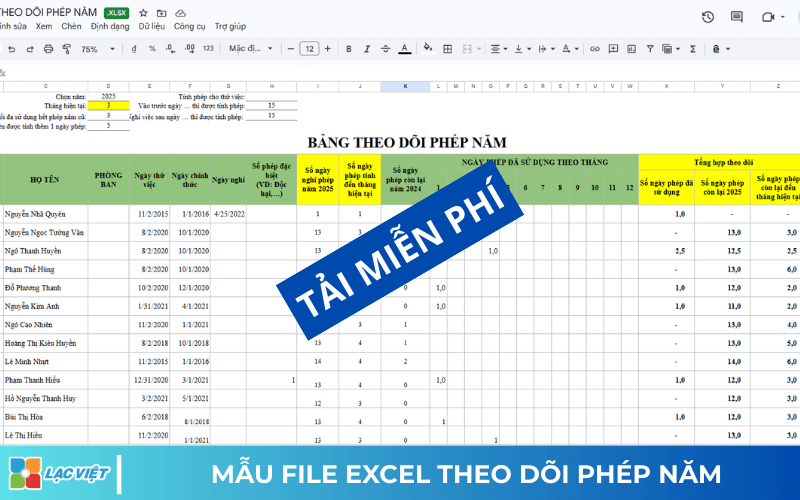
The column data typically include:
- Employee code
- Name
- Departments
- Day at work
- The total number of days allowed year
- The number of days stayed
- The number of days allowed to rest
Simple example:
| Code NV | Name | Departments | Total annual | Have to stay | Rest |
| NV001 | Nguyen Van A | Business | 12 | 3 | 9 |
| NV002 | Tran Thi B | Accounting | 12 | 5 | 7 |
Advantages of the template Excel file manager allowed this year are:
- Easy to make and easy to update
- HR can fast track status allowed by the entire staff
- Convenient when synthetic data last year
For business under about 50 personnel management is quite effective because the data is not too big. However, when the number of employees increases, the Excel table will become long and difficult to control if there is no way logically organized.
From the perspective of human resource management, the maintenance of the panel track allow five clear right from the start to help businesses limitation disputes related to benefits, vacation, especially when employees leave or require payment allowed not use.
3.2 Sample the year by work seniority in business
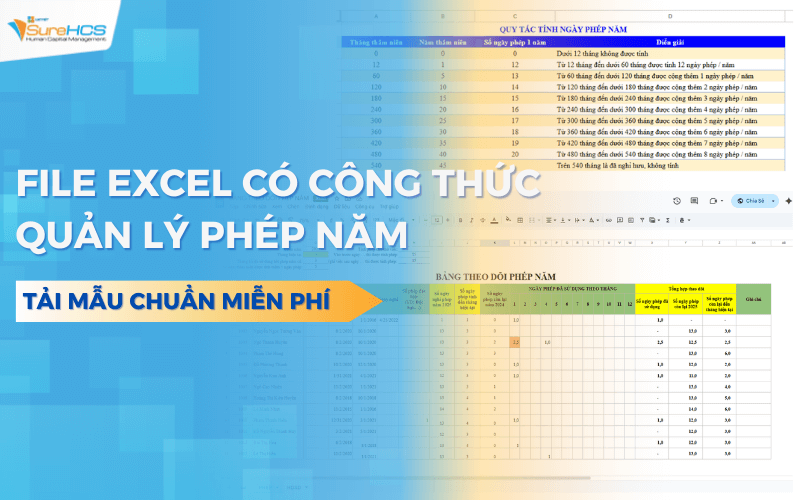
Trong thực tế quản trị nhân sự, nhiều doanh nghiệp không chỉ áp dụng số ngày phép cố định theo quy định của pháp luật mà còn bổ sung thêm chính sách tăng ngày phép theo thâm niên làm việc. Điều này vừa giúp đảm bảo tuân thủ quy định pháp luật vừa tạo động lực gắn bó lâu dài cho người lao động.
Theo Điều 114 Bộ luật Lao động 2019, người lao động khi làm việc đủ 5 năm cho cùng một người sử dụng lao động sẽ được cộng thêm 1 ngày phép năm. Quy định này thường được doanh nghiệp tích hợp vào quy trình quản lý phép năm để đảm bảo quyền lợi của nhân viên được cập nhật chính xác theo thời gian làm việc.
Suppose business applicable regulations:
- Employees working less than 5 years: 12 days per year
- Every 5 years work: plus 1 day allowed
How to calculate the number of days allowed will be as follows:
| Working | The number of days allowed year |
| Under 5 years | 12 days |
| From 5 to under 10 years | 13 days |
| From 10 to under 15 years | 14 days |
| From 15 to under 20 years | 15 days |
Practical example:
- Worker A to do from 2020 → up to 2025 5 year → enjoy 13 days allowed
- Worker B to do from 2014 → to 2024 enough 10 years → enjoy 14 days allowed
Việc thiết lập quy tắc này trong bảng theo dõi phép năm giúp HR dễ dàng kiểm soát số ngày phép của từng nhân viên và đảm bảo quyền lợi được tính đúng theo thời gian làm việc.
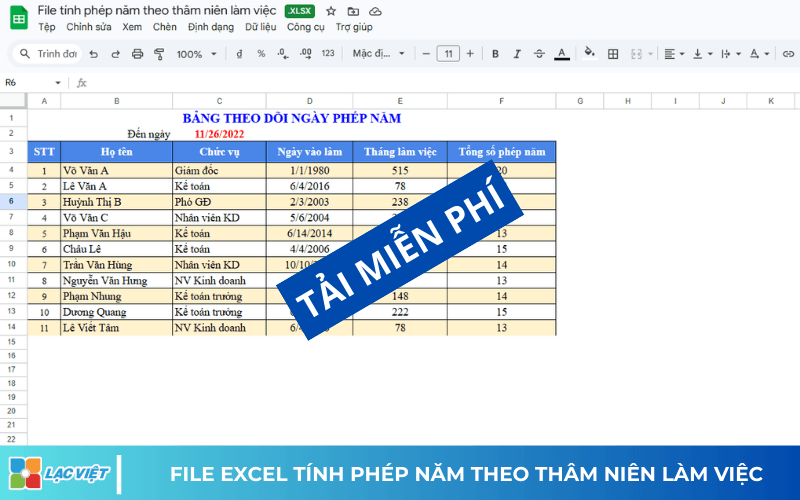
Nhờ cấu trúc này, file Excel quản lý phép năm có thể giúp HR dễ dàng theo dõi dữ liệu nhân sự và tránh nhầm lẫn khi cập nhật phép theo thâm niên.
Doanh nghiệp có thể thiết kế bảng theo dõi phép năm bằng Excel theo cấu trúc như sau:
| Code NV | Name | Day at work | Seniority | Allowed by law | Allows seniority | Total annual |
| NV001 | Nguyen Van A | 01/03/2019 | 6 years | 12 | 1 | 13 |
| NV002 | Tran Thi B | 10/05/2015 | 10 years | 12 | 2 | 14 |
In this table:
- Phép theo luật là số ngày phép cơ bản theo quy định
- Phép thâm niên là số ngày phép cộng thêm sau mỗi 5 năm làm việc
- Tổng phép năm là tổng số ngày phép mà nhân viên được hưởng trong năm
DOWNLOAD FULL FILE TRACKING & MANAGEMENT ALLOWS YEAR HAVE THE FORMULA AUTOMATICALLY AT HERE
4. Restrictions when managing for using Excel file
Although Excel file manager allows year is popular tool and easy to use, but when the scale of personnel increased, this method began to reveal many restrictions.
Many hr departments said they have to spend quite a lot of time to update the data, collate information, leave and check deviations in Excel sheet.
This shows if the business still depends entirely on Excel, the volume of administrative work of HR will be increasing when the development organization.
4.1 Easy to errors when entering data manually
In the panel track allow the year in Excel, most of your data is to be entered manually. Just enter a wrong number or wrong location, car data, calculation results may be skewed completely.
For example:
- enter the wrong number of vacation days
- delete the wrong formula
- copy the data without the correct format
Minor flaws, this can lead to confusion about the number of days allowed to rest of the staff, from which affect the calculation of salary or payment allowed to not use.
4.2 Difficult to manage when a business has multiple employees
When the business grows to a few hundred or a few thousand personnel, Excel file manager allows year will become very big.
This causes a number of problems such as:
- File Excel running slow
- Calculation formula error-prone
- Hard aggregate reports by departments, or branches
In addition, if many of the same updates data in an Excel file, the risk of overwriting data or data loss is also very high.
4.3 does Not automatically sync with timekeeping and payroll
In many businesses, hr data often located in many different systems such as:
- file timekeeping
- payroll
- panel track allow year
When using Excel, HR departments have to re-enter data from various sources to ensure information consistency.
For example:
When employees leave, HR needs:
- update on timesheets
- updates to the panel track allow year
- check back when payroll
This process not only takes time but also prone to errors if the data is not for regular screenings.
4.4 there is No approval process of leave
A major limitation of the panel track allow the year by Excel is not supported approval process of leave.
In fact, the process of leave usually consists of several steps:
Employees submit leave request → Management approval → HR update data
When using Excel, this process usually takes place via email or message, then HR new updates back into the Excel file. This prompted the management to become disjointed and difficult to follow the approval history.
In the long term, as businesses scale up or have many branches, being dependent on the Excel can make task management allows year becomes less effective and difficult to control. This is also the reason many organizations start switch to the system hr software to automate the process of leave and reduced work load for HR departments.
5. Management solution for automatic software-LV SureHCS C&B
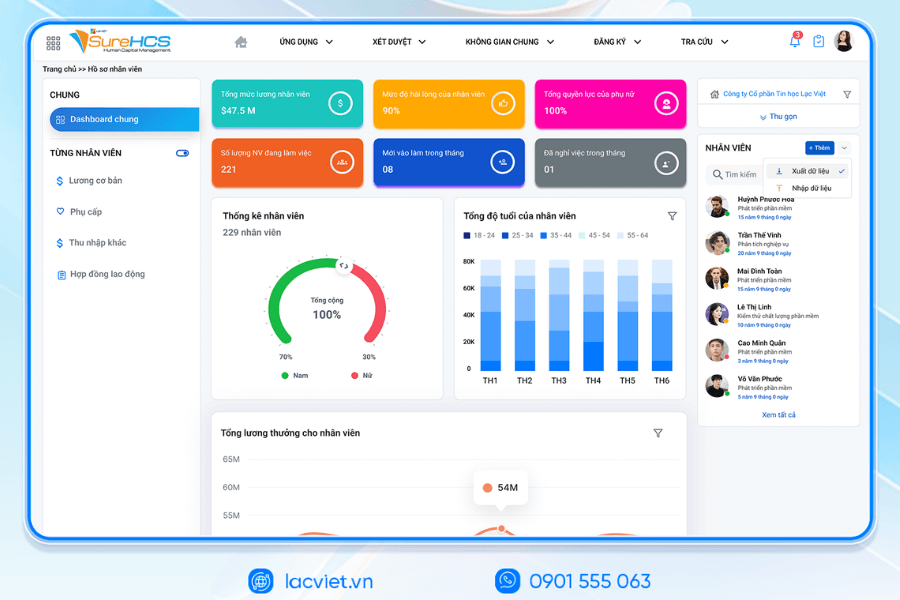
To solve the above problems, many businesses have switched to using the system management software hr to automate the whole management process allows. In it, LV SureHCS C&B is the solution developed exclusively for professional timekeeping, payroll and benefits manager, helps businesses control for an accurate, transparent and time-saving operation.
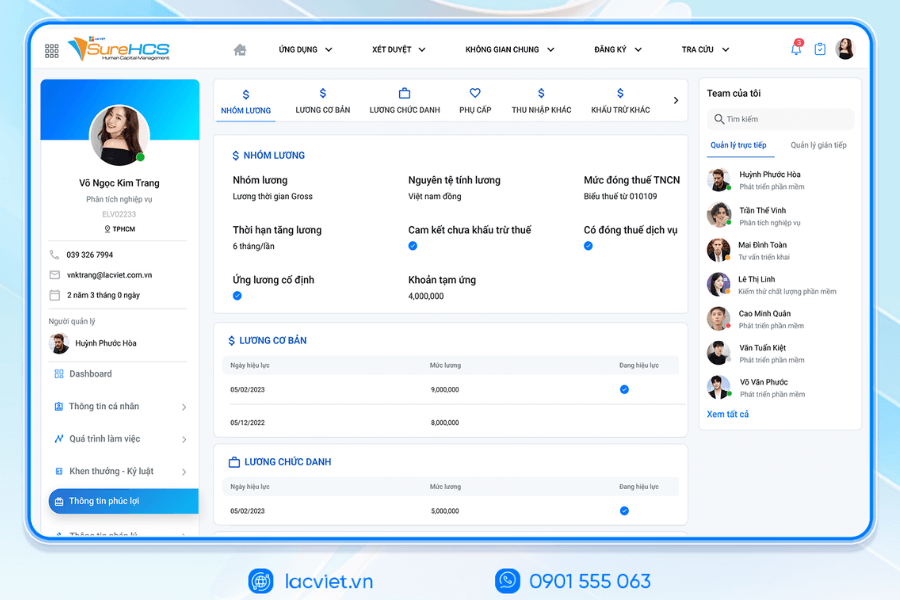
Automatically the year according to the regulations and enterprise policies
With software, LV SureHCS C&B, the system can automatically set the permissions based on many factors such as:
- Day to make your staff
- Working
- Provisions allowed under The Labor code
- Welfare policies own business
Employees enrolled in vacation online on the system
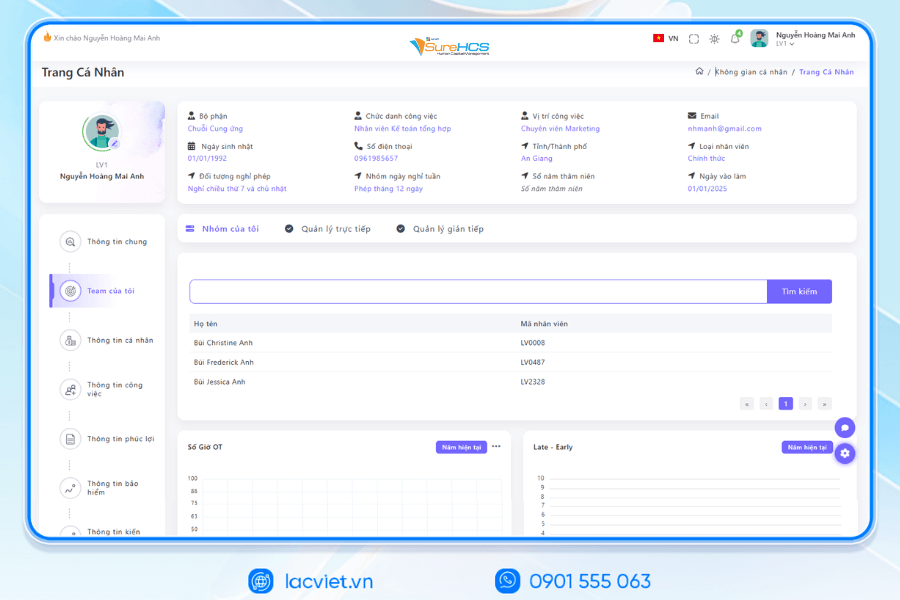
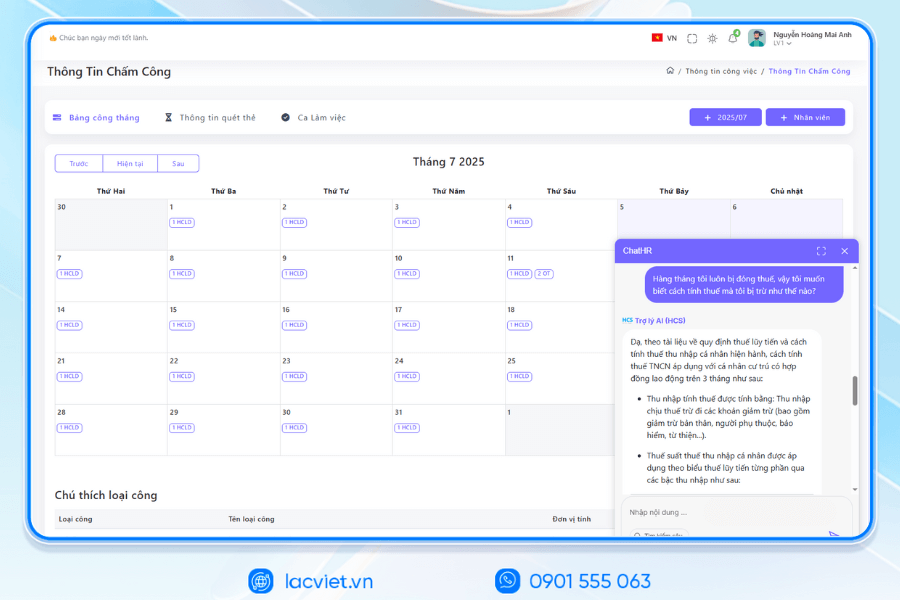
With LV SureHCS C&B, employee can sign up vacation directly on the system through hr portal or internal application. After sending request, the system will automatically display:
- the number of days allowed to rest
- holiday schedule have already registered earlier
- approval status
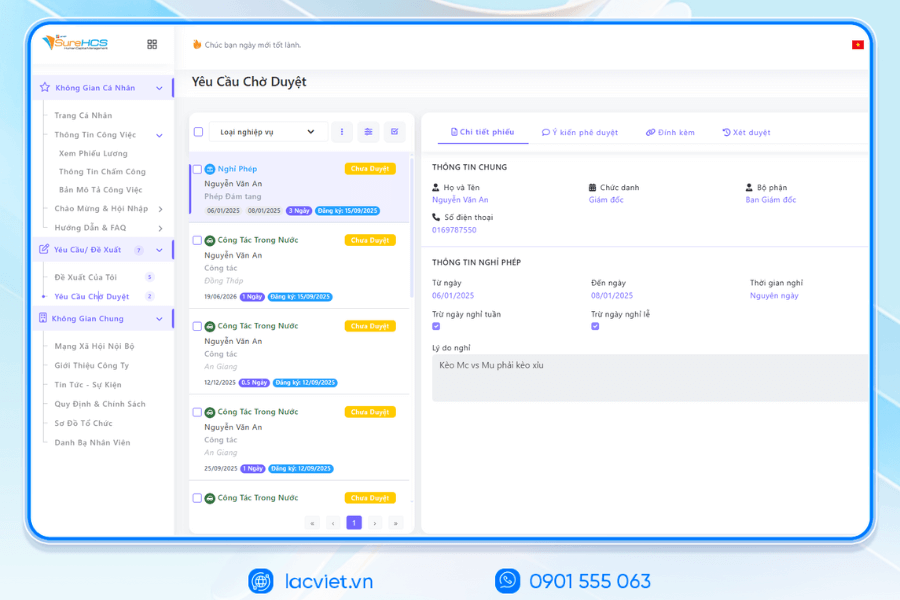
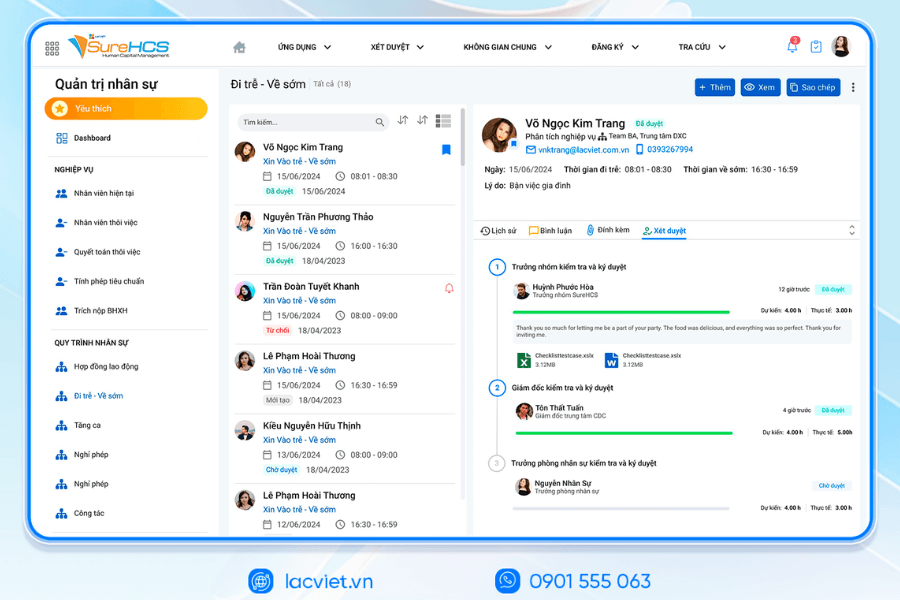
Automatic approval of leave under process
LV SureHCS C&B set the approval process of leave automatically. For example:
Employees submit leave requests → direct Management approval → HR system updates.
The entire history for approval will be saved on the system, help businesses easily check and access when needed. This is especially useful when businesses need to control holiday calendar of multiple departments or multiple branches.
Connection data, timekeeping, and payroll
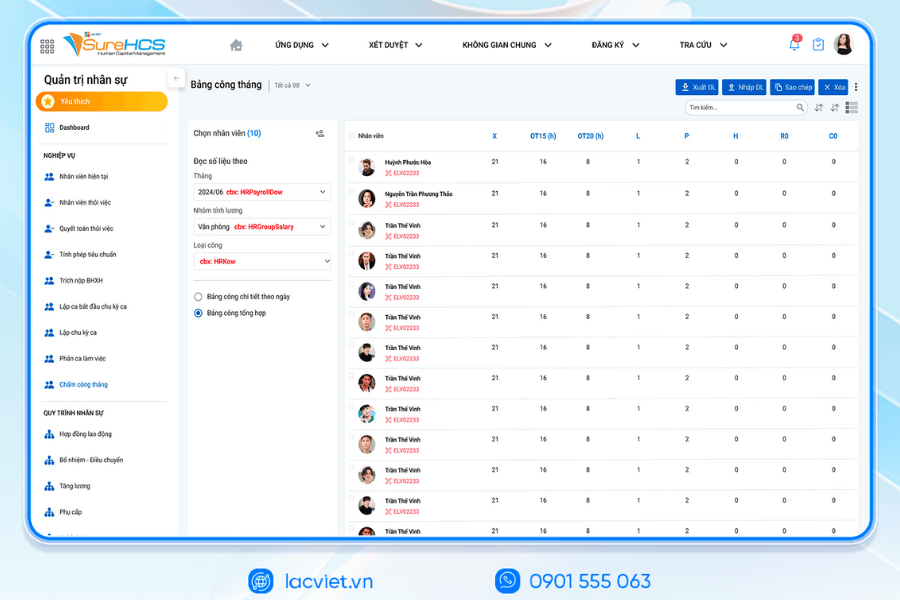
In LV SureHCS C&B data, the leave can link directly to the system timekeeping and payroll. When employees leave:
- data sabbatical will be automatically updated on the timesheet
- the system will calculate the exact date of the actual
- data is transferred to the payroll system without the need to re-enter
Thanks to that, businesses can significantly reduce the operation and limit errors when general hr data.
Report data analysis allowed year
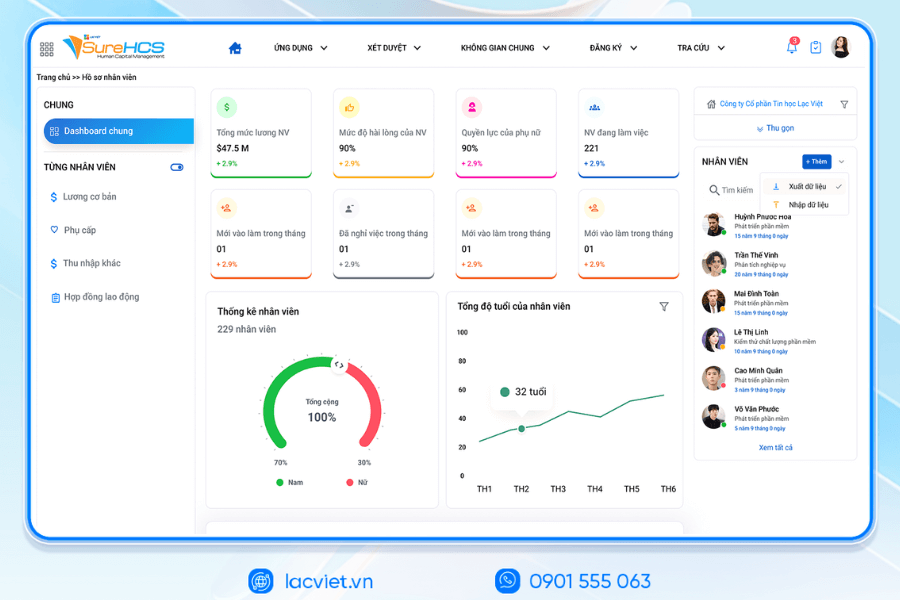
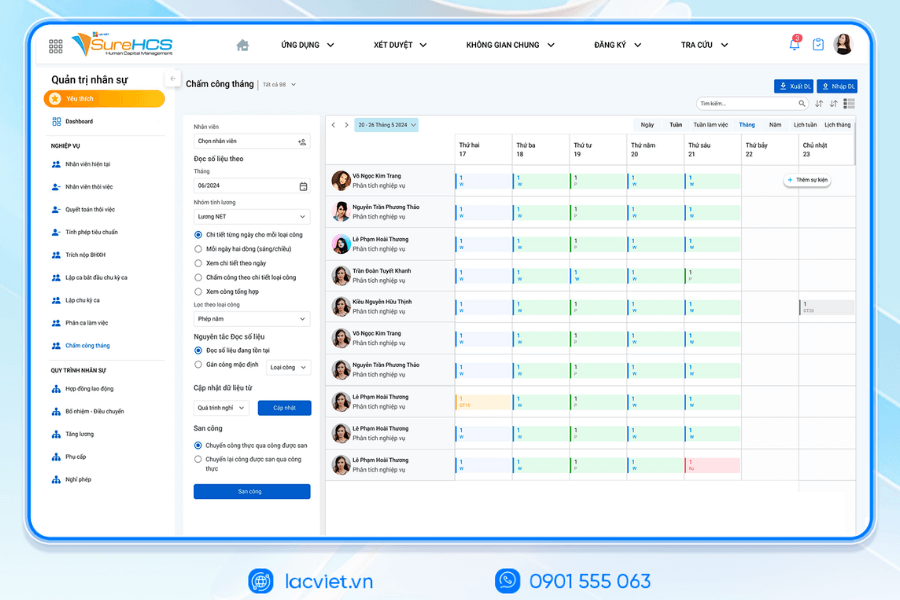
Unlike the panel track allow the year by Excel is often only offer basic data, LV SureHCS C&B allows businesses to build many types of management reports related to the year, such as:
- report the total number of days which have used the
- report allowed to rest according to departments
- report the rate of vacation time to time
These data help leaders angle of view more clearly about the condition of using human resources in the business. For example, if a department has a percentage vacation too high in a certain stage, businesses can proactively adjust the plan to ensure operations are not interrupted.

INTEGRATED AI ACCELERATION CONVERTER OF PERSONNEL
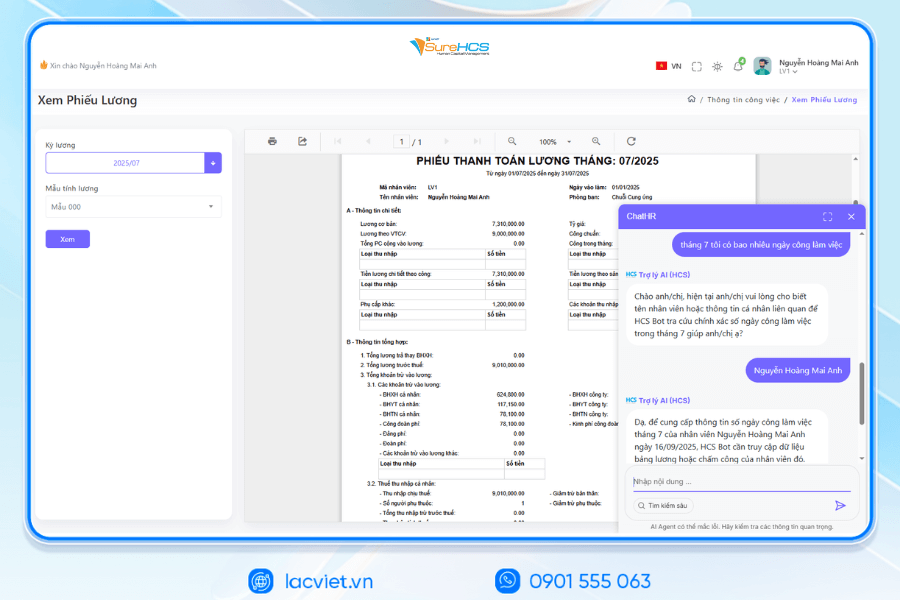
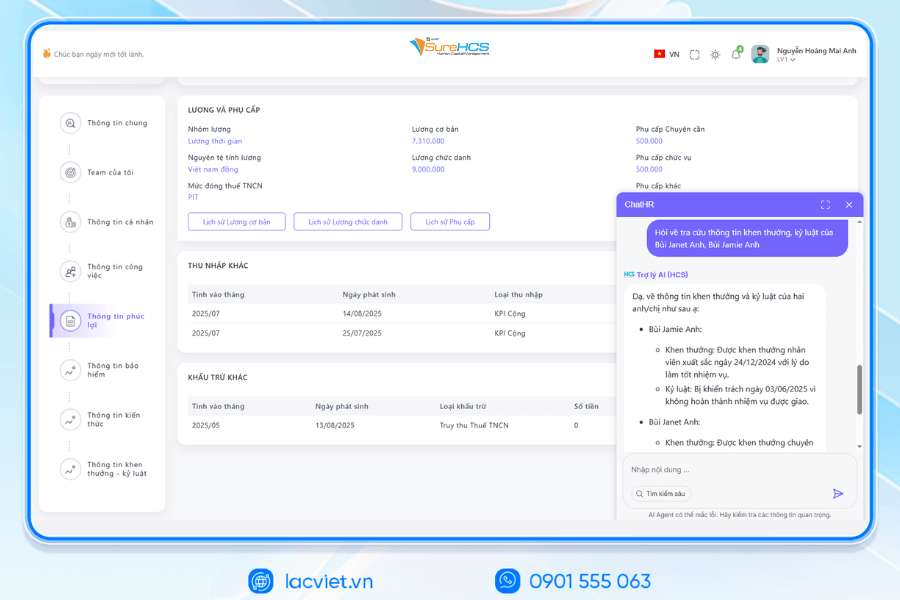
Lac Viet has officially launched The 3 AI assistant hr deeply integrated into the LV SureHCS including LV-AI.Docs, LV‑AI.Resume and LV‑AI.Help to automate the task administration, standardized data enhanced experience personnel
- LV‑AI.Docs: automatic dissection transfer data from documents such as CCCD, windows, SOCIAL insurance, by level of digital records, standardized
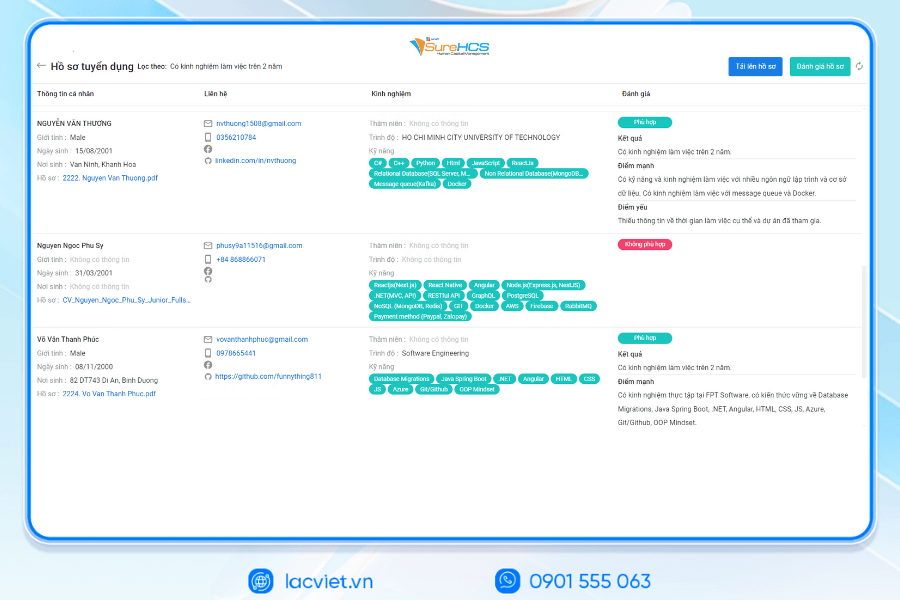
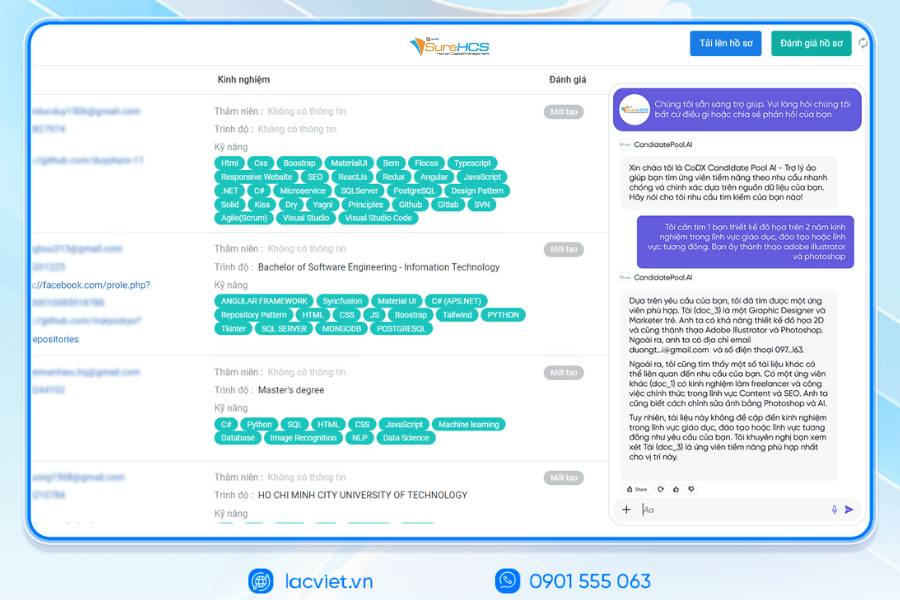
- LV‑AI.Resume: analysis of CV auto, construction, candidate profile, find people with the right criteria by prompt intelligent data mining candidate pool efficiency
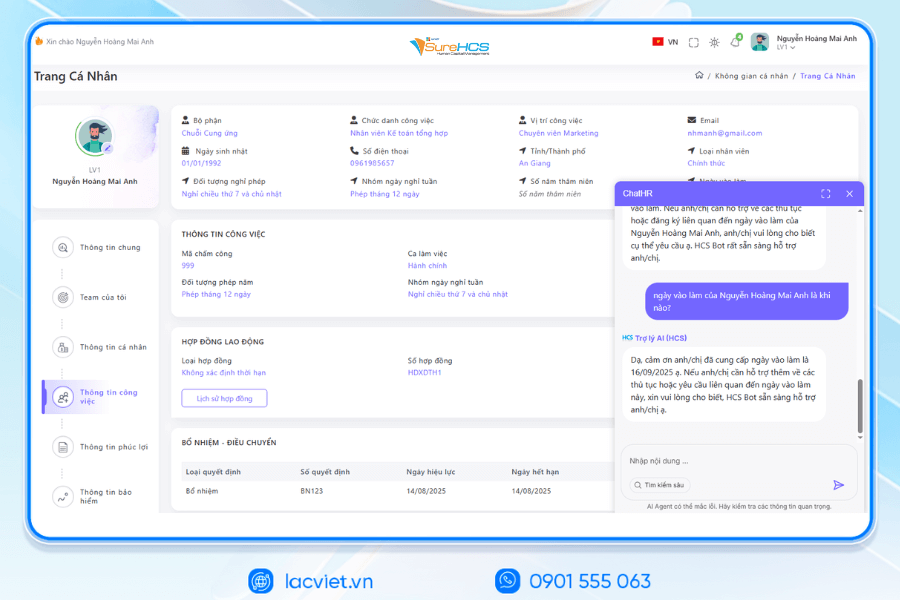
- LV‑AI.Help: chatbot internal support, answer questions HR 24/7 access form process quick contextual user
TYPICAL CUSTOMERS ARE DEPLOYING LV SUREHCS
SureHCS are trusted and used by many large enterprises and leading corporations such as: Coca-Cola, Takashimaya, Textile Successful Plastic, Long Thanh, Phu Hung Life, the airports of Vietnam (ACV), the enterprise division of SGCthe FDI enterprises in the fields of production, logistics, trade – in service.
- Coca-Cola Vietnam: System deployment LV SureHCS to digitize comprehensive human resource management group has standardized the data, the optimal operating HR according to international model.
- Textile company Success (TCM): Application LV SureHCS to manage hr, payroll, benefits, timekeeping and capacity profile for nearly 5,000 employees across 5 areas of activity – from textiles and fashion to real estate.
- Total company air Port, Vietnam (ACV): Choose to trust LV SureHCS to operate the system large-scale personnel with over 10,000 employees, 24 subdivisions, solved the problem of complex business of modeling state-owned companies.
SureHCS particularly suitable for:
- Large-scale enterprise, from 300 to over 10,000 personnel
- Corporations, businesses, multi-subsidiary, multi-branch
- FDI, manufacturing, factory, logistics, aviation should attendance – analysis ca – salary calculator complex
- Businesses are C&B peculiarities, need custom depths according to the actual operating
- Businesses are personnel management using Excel, many types of timekeeper, need to automate the entire process
SIGN UP TO RECEIVE DEMO NOW
WHY BUSINESSES SHOULD CHOOSE TOUCH THE SUREHCS?
- Customized according to the actual business, no pressure mold as packaged software.
- Handle the personnel – salaries complex that many software HRM other does not respond.
- Deep understanding operated business English & FDI, ensure compliance with legal Vietnam (labour, SOCIAL insurance and personal income tax).
- Ecosystem integration strength: attendance – payroll – bank – SI – electronic contract.

See details, feature & get FREE Demo
CONTACT INFORMATION:
- Hotline: 0901 555 063
- Email: [email protected] | Website: https://www.surehcs.com/
- Office address: 23 Nguyen Thi Huynh, Phu Nhuan, ho chi minh CITY.CITY